How do I book an appointment on a noisy bus?
A customer needs an answer. An invoice needs checking. Your team wants to try a new tool. Start with a familiar problem, see what is happening, and choose what you would do. No technical background needed.
- Meet the problem
- See what is happening
- Make a choice
- Find out why
- Try a small change
All decisions are free without an account or API key. Drafts stay on this device only, not in account sync. Follow-up lessons retain their existing sign-in and plan requirements.
These are made-up (synthetic) stories with feedback written in advance, not live AI results or real customer outcomes. They help you practise, but do not certify your skills.
You are on a noisy bus, trying to find an appointment at the local advice centre. The website offers an AI voice helper. You do not want to say personal details aloud, and the bus noise makes speech hard to catch.
The problem: Let someone find a suitable time privately and correct mistakes, without making speech the only way to use the service.
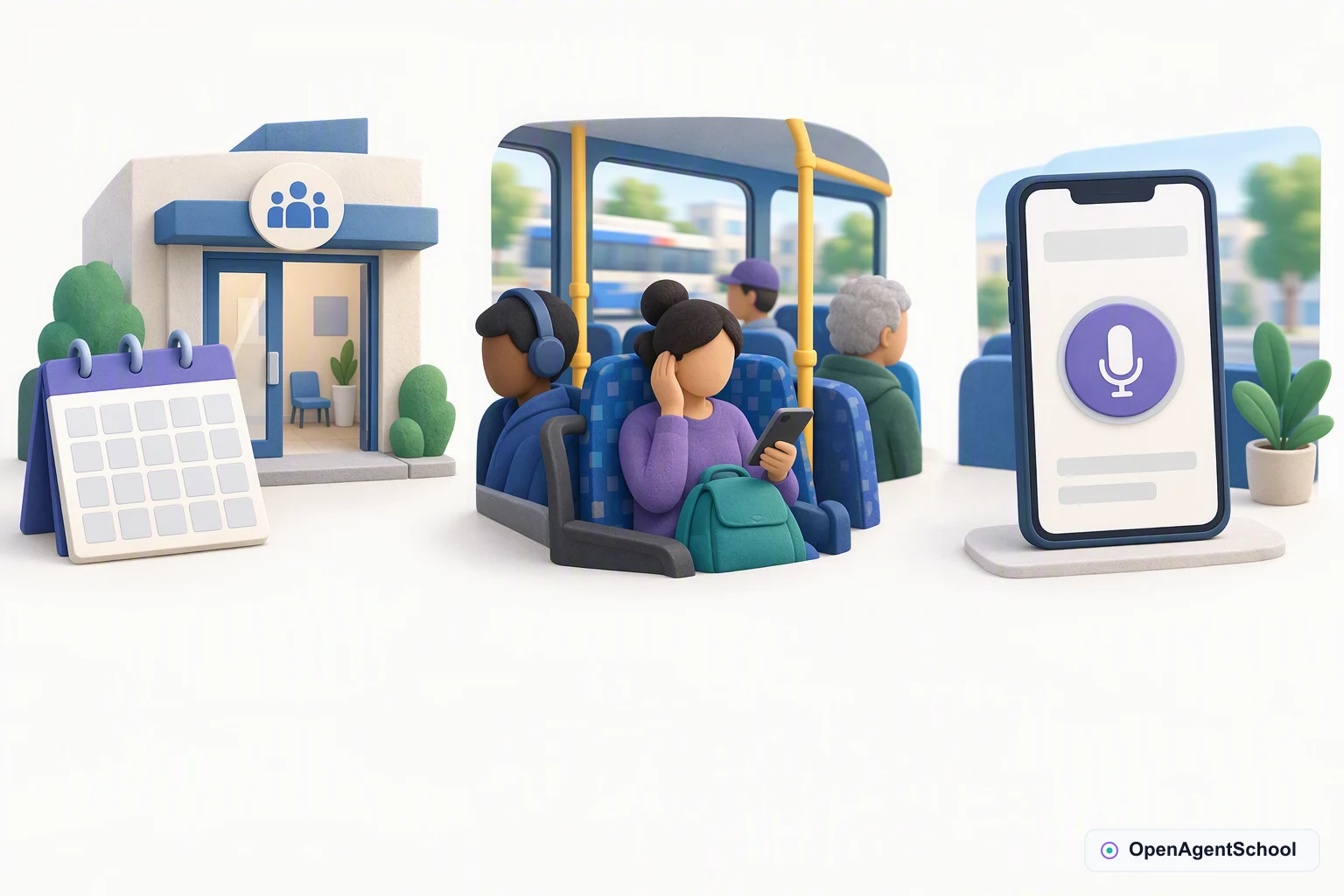
AI-illustrated teaching scene. Follow the arrows from 1 to 3; they show how to read the story, not actions taken by an AI.
- An appointment to arrange
You want to find an available time at the advice centre.
- A noisy bus
Other passengers can hear you, and the bus rattles as you speak.
- A voice helper is offered
You have opened the appointment page on your phone.
What would you do?
What would make this service useful on the bus?
- Ask people to speak louder and repeat personal details
Why this choice?
That might improve some recognition, but it does not solve privacy or help someone who cannot speak. People need another way to complete the task.
- Offer typing, visible answers and a staff contact route
Why this choice?
You can check available times without speaking to the whole bus. Keep speech optional and let people correct their request. The helper only looks up times; choosing a suggestion must not silently book or change an appointment.
- Tell people to come back when they can speak somewhere quiet
Why this choice?
A quiet room may help some people, but not everyone can wait or use speech. A service with typing and staff contact can help in more situations.
What to take away
Give people a usable choice of input and a way to check the answer. Speaking should be an option, not an entry requirement.
What if something changes?
Later, you are home with a good connection and would rather speak than type. The centre has tried optional voice with people with varied speech and hearing needs. Its tested version shows editable text, has a clear microphone stop button and only looks up available times.
Which option fits this situation now?
- Let people choose voice while keeping typing and staff help
Why this choice?
Optional voice now fits your preference and the tested setting. Keep the words and times visible, allow corrections and stop the microphone when asked. If the connection drops, explain what happened and offer typing or staff help. No appointment is booked by this helper.
- Make everyone use voice because the trial went well
Why this choice?
A successful trial does not remove the noisy bus, privacy concerns or different access needs. Keep typing and staff help available without extra hurdles.
- Keep voice unavailable because typing worked on the bus
Why this choice?
Typing solved one situation; it is not everyone's easiest route. A tested, optional voice path can help people who prefer speaking without taking typing away.
What to take away
The best route can change with the person and place. Add a tested option without taking away the routes other people still need.
The idea behind this story
Offer another way in, not a new requirement everyone must meet.
When would you choose speech, and when would you want the same task to stay silent?
The technical connection: Multimodal access
Multimodal access means offering more than one way to interact, such as typing and speaking. People need visible corrections, control of the microphone and an alternative when a mode does not suit them. Audio recording needs separate consent.
Advanced: Voice should add a way in, not remove one
Balance conversational speed with correction, privacy and access for users who cannot or do not want to speak.
Accessible service design · 8 minutes
The problem
Synthetic practice scenario: all quantities and evaluation outcomes are illustrative, not reported research. A public information service wants spoken answers about opening hours and appointment availability, without booking or changing appointments in the pilot.
Your initial decision
Which interaction should the first pilot offer?
- Users include people with speech differences, hearing loss, shared-device privacy concerns and unreliable mobile connectivity.
- No representative speech evaluation exists yet; a provider demo used quiet-room speech only.
- The service must offer keyboard and text access, visible answers and a human contact route.
- Audio retention is off by default; any research recording requires separate informed consent and a deletion policy.
Compare the alternatives
- Offer opt-in streaming voice alongside the text service
Streaming can reduce turn-taking friction while preserving text access and microphone controls, but untested interruption handling and weak connections may create confusing partial turns.
- Add push-to-talk with editable transcripts
Explicit turns and correction reduce conversational fluidity but expose recognition errors before the answer is used, with clear microphone activation and cancellation.
- Launch text-only while evaluating representative speech tasks
Text avoids untested audio processing but postpones benefits for people who prefer or need speech input.
Mechanism, trade-offs, and evidence
- Start with access to correct information, not humanlike conversation; speech input and speech output are independently optional capabilities.
- An editable transcript helps users correct recognition, but it is not a reason to remove other input methods.
- Evaluate task completion with relevant users and conditions while minimizing collected audio and explaining its use.
- Treat WCAG as accessibility requirements to implement and assess, not a badge conferred by choosing a speech provider.
Reconsider after a change
Consented usability trials and independent task checks now support an optional streaming conversation mode on qualified connections, while weak-network users still need the existing path.
What should the service change after these results?
- Illustrative trials cover 60 consenting participants across the pilot's speech and hearing access needs; they do not establish performance for all populations.
- On qualified connections, the synthetic 2-second response-start target is met and all tested interruption and correction tasks pass; weak connections still miss the target.
- The streaming path performs only read-only information lookup, with visible transcripts, a microphone indicator and a working stop control.
- Text, push-to-talk and human support remain available without extra hurdles; audio storage remains opt-in and purpose-limited.
Compare the alternatives
- Keep push-to-talk as the default in unqualified settings
Explicit turns sacrifice some speed but remain easier to correct where connectivity or user preference does not fit streaming.
- Keep the release text-first while broadening speech research
Further recruitment could uncover missing access needs and simplify the immediate release, but defers an optional mode already supported for the qualified pilot group.
- Add opt-in streaming with immediate fallback
Qualified connections gain faster turn-taking, while cancellation, connection checks and parallel accessible paths add maintenance.
Mechanism, trade-offs, and evidence
- Change the recommendation because representative, task-specific interaction evidence improved, not because a provider announced a better speech benchmark.
- Keep the tested scope narrow and distinguish response-start latency from full task completion and correctness.
- Use ongoing feedback to find unrepresented access needs and regression cases, without claiming the finite pilot proves universal accessibility.
- Provide an understandable fallback when quality drops; silence, stuck playback or an invisible mode switch is not graceful recovery.
Related technical concepts
Follow-up lessons retain their existing sign-in and plan requirements.
Technical sources
- Web Content Accessibility Guidelines (WCAG) 2.2 — W3C
Provides requirements for accessible web interaction and alternatives; a voice model benchmark alone cannot establish accessibility conformance.
- Demystifying evals for AI agents — Anthropic Engineering
Explains tasks, graders, repeated trials and outcome evaluation for agents; use task-specific tests rather than importing reported scores.
- Building effective agents — Anthropic Engineering
Distinguishes fixed workflows from model-directed agents and recommends testing simpler solutions first; its tooling examples are historical.
Learning together? Pick a story, compare your choices, and talk about what might change your mind. There are no verified team scores or completion records here.
Self-checks and completion records help you reflect; they are not independently verified credentials. Credential availability, assessment, and eligibility are separate.
AI Agents, Explained — free, no login
Explore the cases
- Can I return these shoes?
- The refund screen froze. Did the money move?
- The AI fixed Save. Can we put it live?
- The shop website will not take orders
- We both said approved supplier. Did we mean the same thing?
- It gets the same ten questions right. Is it ready?
- How do I book an appointment on a noisy bus?
- We can improve one task. Which one is worth our time?
- It is your first day at the garden. Where do you start?
- Can the helper pay this repair bill?
- Can we sign the room booking agreement today?
- The caterers sent their prices. Are we comparing the same thing?
- A customer wants a cake by Saturday. Can we promise it?
- Should our shopping helper reorder the household supplies?
- Can we put the neighbors' feedback into an AI tool?
- A volunteer needs the event plans. Which folders should they see?
- These club files are old. Can we delete them?
- There is a new AI helper. Should the club switch?
- Our online helper is down. How can we help visitors?
- The AI writes faster. Why do handovers take longer?